Have files that are using up all of your had drive on your Mac? Check the Library Folder for large files. In my case the Library Folder consumed over 80GB of HDD space. To view the folder - from a Finder window choose View >> Show View Options. Then looks down towards the bottom of the dialogue box and check the Show Library Folder box.
Outlook 2014 64 Bit: Send To Menus No Longer Work In Windows and Adobe Acrobat
If you have installed Office 2013 and notice your Send To menus in Windows or Send to functionality has stopped in Adobe Acrobat it could because you have installed the 64 bit version of Outlook/Office.
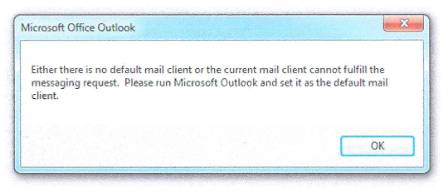
To solve this problem, you need to add a key in your registry:
Open Registry Editor buy typing in REGEDIT from the Run Command. Then:
1. Create registry key:
HKEY_LOCAL_MACHINE\SOFTWARE\Wow6432Node\Microsoft\Office\15.0\Outlook
2. Create String value:
Bitness
3. Set the String value for Bitness to:
x64
As always, take caution when working in the Registry Editor.
How to sign into Windows 8 without a Microsoft account
When unboxing your new Windows 8 or 8.1 machine you might want to set it up without linking it to a Microsoft Account. At first it might look like you have no choice, but with these 3 steps you can easily bypass the requirement:
After you pass the settings confirmation screen (by pressing Express or Customize)..

you will be brought to the Account Sign In page. To bypass click "Create New Account" then...

Choose "Sign In Without a Microsoft Account" and hit next. Then setup your login as you always would!!

Western Digital My Book Model WD5000C032 External USB Hard Drive Unrecognized by Windows
After a few month of non-usage it appears that my Western Digital My Book has stopped working. The drive powers on, so you can see the Green Circular LED, but when I plug the unit into my Windows 8 machine: Windows finds the drive, but after its all said and done it says USB Device Not Recognized. I tried everything from rebooting with drive plugged in to power cycling and cold booting the hard drive. One time I was able to see my file folders but the files were all missing.
As a result, I have decided to remove the SATA drive from the enclosure and plug it into my external USB to SATA dock:
http://www.frys.com/product/5816343?site=sr:SEARCH:MAIN_RSLT_PG
The process was very simple, but will basically require you to destroy your "not working" USB enclosure. The directions for removing the drive can be found here:
http://www.adcworks.com/2008/06/diy-how-to-rescue-data-from-your-western-digital-mybook/
Black Tiles Showing On Desktop Instead of Preview For Adobe Acrobat Files (PDF) with Windows 8
I had an issue where the icons on the desktop for PDF files were simply a black square. No small preview of the document, nor the traditional Adobe icon.
Upon further research it appears that a clearing of the thumbnails cache is necessary to fix the problem.
To do this, launch the Disk Cleanup Wizard go to Control Panel >> Administrative Tools >> Free Up Disk Space By Deleting Unnecessary Files.
Once launched, scroll down the list to make sure that "Thumbnails" is checked:
Then hit "OK". Upon completion, you icons should be repaired.